
Welcome to Kubo
Safe video content for children
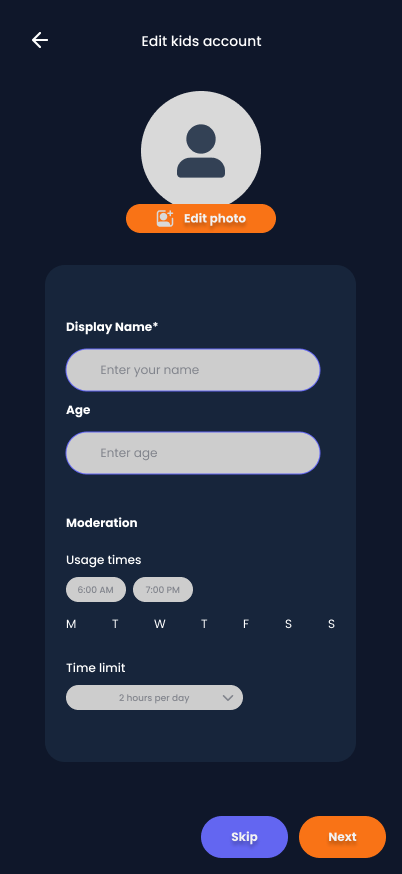
Child profiles
Create and manage child profiles
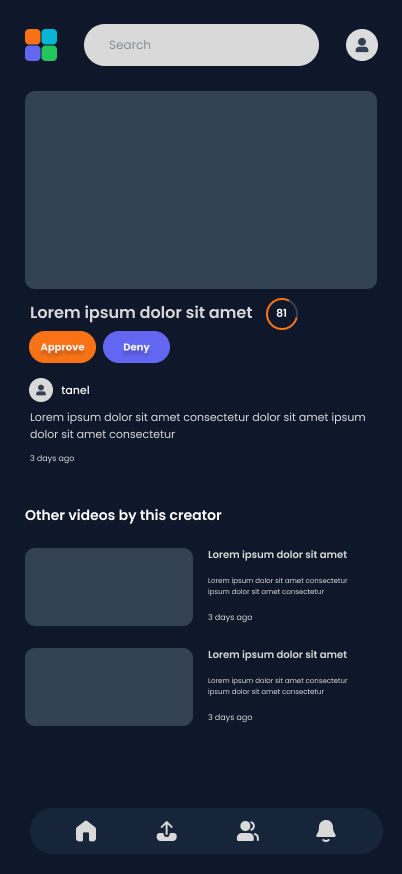
Video viewing
Curated video content experience
Give your children safe access to digital video content through a by you defined trust domain for your child.
Kubo uses filters that adapts to your family's values and community connections. This is done with revolutionary technology which uses TEPP and Web of Trust filters.
Kubo is a child-safe video consumption platform built to demonstrate the Trust Extended Permissions Protocol (TEPP) protocol in a real-world application.
Our goal is to demonstrate how TEPP can be used as a parent to create and grow a trust domain with your child.
The platform serves as both a practical tool for families and a reference implementation for developers looking to build on the TEPP protocol.
There will be a separate application for children where they can enjoy the video content just like with YouTube Kids but better.
Build your child's content world from the inside out - starting with your inner-circle, expand to friends of friends and extend it with communities.
By design, the app is already nudging your children to get addicted
Algorithms deciding what your child sees, not you
There is no space for education, all content is optimized for entertainment.
Content from creators you've never heard of or vetted
YouTube is getting flooded with AI generated content.
Age-inappropriate content slipping through automated filters
Generic filtering that ignores your family's unique values and preferences
Little control over content quality and appropriateness for your specific child
Multiple rapports show that your children's privacy is not very well respected.
Terms of Service - didn't read
Exodus privacy report
Use a three-level trust tier to create comprehensive trust domains for your children.
You explicitly approve family members and other trustworthy people who can contribute to your child's content experience.
Share content recommendations with other parents you know and trust who share similar family values and content standards.
You see exactly who approved what content. No hidden algorithms or mysterious recommendations—full visibility into every content decision.
Take control of your child's digital video experience with powerful parental tools
Curate video content for your child with flexible sharing options:
Set up individual profiles for each of your children with age-appropriate settings and personalized trust domains.
Define and control trust domains for each child. Add family members, friends, and trusted content creators to build a safe network.
Review and preview exactly what your child will see before they access any content. No surprises, complete transparency.
Kubo provides separate, purpose-built applications for parents and children
Full control and management capabilities for setting up and maintaining your child's safe content environment
Simple, safe, and fun interface designed for children to enjoy curated content without distractions
In Kubo, we've defined three distinct trust levels that can be applied to any trust domain, giving parents granular control over content access and interaction.
The most restrictive level where children can only view content without any interaction capabilities.
Moderate access allowing children to engage with content through safe interaction features.
Full access level allowing children to contribute to and expand the trust domain.
As a parent, you can set and grow a trust domain per child over time. What can be part of this trust domain?
Family members, friends, and trusted content creators who can contribute to your child's content experience
Trusted Nostr relays and content sources that provide safe, verified content for your network
Individual pieces of content stored as Nostr events, each with its own trust level and approval status
For each item in the trust domain, you can set an individual trust level.
We are using modern, open and permissionless technologies
Decentralized social networking protocol enabling censorship-resistant communication and content sharing.
Trust Extended Permissions Protocol - the core technology enabling trust-based content filtering and domain management.
Enterprise-grade content management system providing robust backend capabilities for content organization and user management.

Supporting the development of trust-based technologies and decentralized systems for a better digital future.

Technical development and consulting expertise in building secure, decentralized web-applications using Drupal, PHP and Javascript.
Our publications
No articles found with tags: Kubo, kubo.
Our development journey toward building the ultimate trust-based content platform
This phase is planned to coincide with the Web of Trust hackathon organized by Nosfabrica, where we'll collaborate with the community to build robust trust filtering mechanisms.
For new (a new generated keypair without a following list) parents we can use Trusted Assertions (event kind 30382) to bootstrap / pre-configure a domain for a child in a easy and fast way. Depending on the score, we can preset one of the three trust levels (view-only, interact or extend) per a profile. In the future, when a system such the Trust Extended Permissions Protocol (TEPP) exists, WoT-scores can be used a context for parents to aid in defining the digitial environment for their child, and serve a basis for automated permission approvals.
A completely separate, child-friendly interface designed for safe content consumption with age-appropriate UI/UX and enhanced safety features.
These are the items we are working on
No cards in to do
No cards in in progress
No cards in done
Join the Kubo community and help us build the future of child-safe content consumption
Currently, the demo at https://demo.kubo.watch requires a legacy login with an account to test things.
Please reach out to us if you're interested in getting access to Kubo and want to be part of our early testing community.
Eventually we will open up a community beta program where everyone can join, test and provide feedback.